Cash Counting Machine Errors: Why “Suspected Note” Appears and How to Fix It
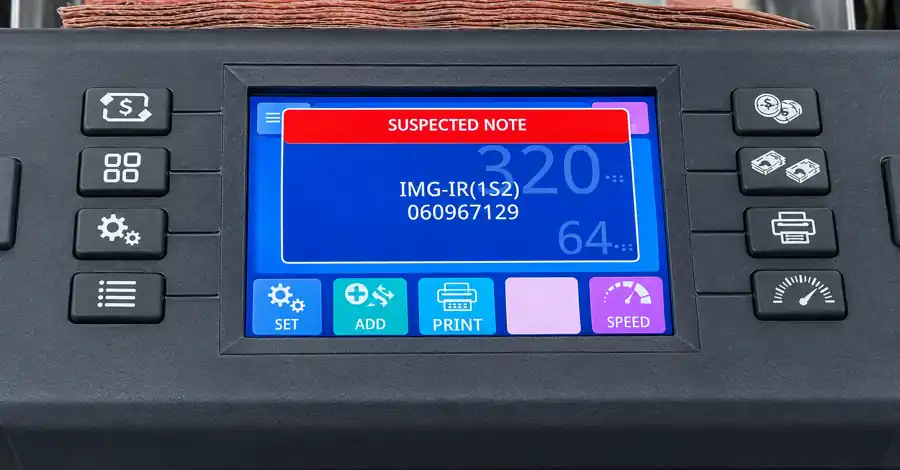
Your cash counting machine stops in the middle of a bundle and the screen shows “SUSPECTED NOTE”. You look at the note and it seems perfectly fine. Is the note fake, or is something wrong with the machine? In most cases it is neither. This guide explains the common cash counting machine errors we see at Safe World in Abu Dhabi, why a good note is sometimes rejected, and the simple cleaning routine that keeps your machine counting accurately for years.
Why does a cash counting machine show an error?
A modern currency counting machine does much more than count paper. As each note passes through, sensors check it with UV, magnetic (MG), infrared (IR) and, on many models, CIS image detection. If any of these checks gives an unusual reading, the machine stops and flags the note so that you can check it yourself.
The screen usually shows “Suspected note” together with a short code that tells you which check the note did not pass. For example, a code like IMG-IR points to the image / infrared check. The exact codes differ from model to model, so keep your user manual handy or ask our team which code means what on your machine.
An error does not always mean the note is counterfeit. Very often the cause is the condition of the note itself, or dust on the sensors.
Common reasons a genuine note is rejected
- Washed notes – notes that went through a washing machine lose some of their original features and print quality, so the sensors read them differently.
- Folded or creased notes – a strong fold changes how the note passes the sensors.
- Bent or curled corners and edges – a folded side or dog-eared corner is one of the most common causes of a “suspected note” message.
- Ink and stains – pen marks, ink, make-up and similar marks can upset the image and UV readings.
- Coffee and tea stains – liquid stains change the colour and surface of the note.
- Dust on the CIS sensor – if the machine rejects notes that are clean and flat, the problem is usually inside the machine, not the money.
What to do when the machine shows “Suspected note”
- Take the flagged note out and look at it carefully on both sides.
- Check that the whole note looks the same – no folded side, torn edge, stain or ink mark.
- If it is folded, flatten it and put it through the machine again. Very often it passes without any problem the second time.
- If the note is still rejected, keep it aside and check it separately – for example with a UV fake currency detector – before you accept it.
- If many clean, flat notes are rejected one after another, the most likely cause is dust on the CIS sensor. Clean the machine as explained below.
How to clean the CIS sensor of your money counter
Banknotes carry a lot of fine dust and paper fibre. Over time this settles on the sensors and the machine starts giving errors on good notes. Cleaning is simple:
- Switch off and unplug the machine from the power supply.
- Open the back cover to reach the sensor area (follow your model’s manual; if you are not sure, ask our technical team first).
- Use a soft, clean brush to clean the CIS sensor glass and every area where dust has collected.
- Do not use tissue paper. Small tissue fibres can stick to the sensor and cause new errors.
- Close the cover, connect the power and run a test bundle.
How often should you clean a cash counting machine?
| How the machine is used | Recommended care |
|---|---|
| Daily use (shops, exchange houses, supermarkets) | Clean the sensors at least once every 2 weeks |
| Dusty places such as construction sites | Keep the machine covered when not in use and clean more often |
| Occasional use | Clean regularly and whenever it starts rejecting good notes |
Tips to avoid errors and repairs
- Cover the machine when it is not in use, especially in dusty locations.
- Give it power only when you need it, and switch off the power button at the back when the machine is not being used.
- Flatten notes before counting – straighten folded sides and corners.
- Keep washed, stained and badly damaged notes separate and check them by hand.
- Clean regularly. A machine that is cleaned from time to time works longer without repair or maintenance.
Need a machine with reliable fake note detection?
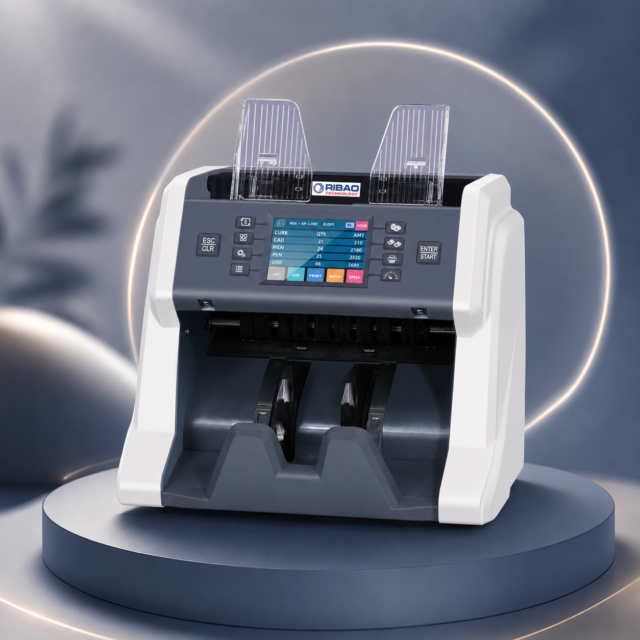
If you are choosing a new machine, look at the SW P80 mixed currency value counter, the RIBAO BC55 banknote counter or, for higher volumes, the RIBAO BCS-160 banknote sorter. You can see all models on our money counting machines page.
Frequently asked questions
Does “Suspected note” mean the note is fake?
Not always. Washed, folded, stained or ink-marked notes can also be flagged. Flatten the note and count it again; if it is still rejected, check it separately before accepting it.
Why does my machine reject notes that look perfect?
If clean, flat notes are rejected again and again, dust on the CIS sensor is the most common reason. Switch off the power and clean the sensor area with a soft brush.
Can I clean the sensor with tissue paper?
It is better not to. Tissue leaves small fibres on the sensor. Use a soft, clean brush.
How often should I clean my cash counting machine?
If you use it every day, clean it at least once every 2 weeks. In dusty places, keep it covered and clean it more often.
Cash counting machine repair in Abu Dhabi
If your machine still shows errors after cleaning, or you need service or repair, contact the technical team at Safe World Office Equipments, Abu Dhabi. WhatsApp or call +971 56 887 2888 and tell us your model and the error code on the screen.